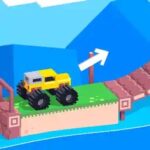
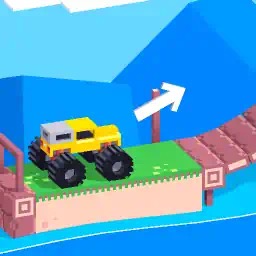
Drive an unstable truck over ramps, bridges, gaps and moving platforms using forward and reverse momentum.
Drive Mad online: a driving puzzle where balance beats speed
Drive Mad is a physics driving game created by Martin Magni. Your vehicle must survive ramps, collapsible platforms, steep slopes and awkward jumps long enough to reach the finish line. The catch is that you cannot freely steer. Almost everything comes down to choosing when to accelerate forward, reverse, or briefly release the controls so the truck can settle.
This website is preparing a browser player built around an independent HTML5 Drive Mad source. The original game belongs to its creator; versions distributed on different websites can vary in level count, menus and game progress. What stays recognizable is the mix of heavy wheels, lightweight platforms and moments when a tiny change in timing decides whether you land upright.
Getting started: controls and first move
Before moving, check the level ahead. Look for a gap, swinging obstacle, seesaw or narrow bridge. The official Drive Mad reference lists W, D, Up Arrow or Right Arrow for forward movement, and S, A, Z, Down Arrow or Left Arrow for reverse. In the independently hosted browser build tested here, the desktop game canvas and on-screen touch arrows were visible. Touch input itself still requires a separate interaction check.
- Start the game and allow its engine and level to finish loading.
- Click within the player to give the game keyboard focus when using a computer.
- Use short forward taps to reach the first obstacle without gaining unnecessary speed.
- Release the key at the lip of a ramp and watch where the truck’s weight is moving.
- Use a short reverse input to reduce excess momentum if you have room to recover.
- Reach the finish or restart; repeat the attempt while adjusting only one decision.
Why Drive Mad feels different from a racing game
A traditional racer asks you to steer through corners, overtake traffic or choose a better line. Drive Mad removes free steering. You are instead trying to solve a physics problem with a vehicle: how much speed will carry both axles over the edge, how much braking will keep the nose down, and when should you let gravity finish the move?
The best route is often not the fastest. A quick start may send the front wheels into the air before the back wheels are ready. A slower arrival can keep both ends of the vehicle level and let you accelerate again after a safe landing. The physics are part of the challenge, not just a visual effect.
Drive Mad tips for ramps, bridges and unstable terrain
Ramps and short gaps
Approach a ramp with enough momentum to cross the gap, then release the accelerator before the truck rotates too far. If you fall short, add a small amount of speed to your next attempt. If you leap past the platform or crash on the nose, enter the ramp a little slower. A controlled landing is more useful than a spectacular jump you cannot survive.
Tilting seesaws and fragile bridges
Platforms may move in response to the vehicle’s weight. On a seesaw, pushing forward at the wrong moment can tip the board before your rear wheels have crossed. Try edging onto the platform, waiting for the angle to stabilize, and then continuing with short inputs. On a narrow bridge, avoid sudden bursts that make the truck rock from side to side.
Steep climbs and sudden drops
On a climb, momentum can help you clear the steepest section, but it can also raise the nose too high. Give the truck time to regain contact with the ground before the next push. On a drop, keep an eye on the front axle. Letting go early may prevent the truck from pitching forward as the front wheels touch down.
Why the truck flips over
Most flips begin before the moment of impact. The truck may enter an obstacle too fast, leave the ground at a steep angle or land with one axle much higher than the other. Holding forward continuously is an easy habit to develop, but it makes several different mistakes look like the same crash.
Try a simple comparison: in the next attempt, shorten the forward press by half a second. If that produces a more level landing, you have identified a timing problem. If the truck no longer reaches the platform, increase the run-up slightly. Repeat until the amount of acceleration fits the obstacle rather than relying on random changes.
How to get better without memorizing every level
Use the same small routine after every failed attempt. First identify whether the failure occurred on approach, during takeoff, or at landing. Then change only the input linked to that phase. Keeping the other parts of the attempt consistent makes the outcome easier to read.
A missed platform usually calls for more distance or speed. A front-heavy landing calls for a different takeoff angle or less throttle. A bridge collapse may require a lighter, slower crossing rather than a bigger jump. Once you learn to describe the failure, it becomes much easier to choose a useful correction.
Desktop, mobile and the browser player
Keyboard input is especially precise when you need a brief pulse of acceleration. The source game displayed touch arrow buttons when inspected on a narrow mobile viewport, suggesting it has an interface designed for touch. A visual touch control is not proof that every mobile gesture works correctly on this particular website, so mobile gameplay is tracked separately in our testing.
The game may load in stages: HTML, JavaScript, game data and its WebAssembly engine. A blank or loading screen is not the same as a working game. Wait for the actual truck and track. If a button stops responding, return focus to the player. If the source is unavailable, the website should not pretend the game is playable.
What to try after clearing an obstacle
After a successful jump, try repeating it with a slightly slower approach. Can you still make it? Could a smaller correction reduce the risk? Comparing successful attempts is a good way to understand the vehicle’s handling. The more consistent your timing becomes, the easier it is to recognize when a new obstacle needs a different strategy.
Developer and source information
Drive Mad is associated with Martin Magni and the Fancade platform. This website is an independent browser-games project, not the game’s official publisher. We link to the developer’s reference for verified control information and use a separate hosted player candidate for technical testing. The player’s exact level list and saved progress can differ between web versions.
Quick pre-play checklist
- Wait for the game canvas to display an actual truck and level.
- Use forward and reverse deliberately rather than holding a key forever.
- Release acceleration before narrow landings.
- Watch both axles, not only the front of the truck.
- Compare one adjustment at a time after a crash.
- Switch to landscape orientation if a mobile player feels too narrow.
More driving games worth trying
Different vehicles reward different skills. If Drive Mad has taught you to manage momentum, compare that challenge with our selected games below.
- Eggy Car — Keep a fragile egg balanced on your car through an endless succession of hills.
- Death Chase — Survive a destructive side-scrolling car race packed with ramps, rival drivers and hazards.
- Freeway Fury — Jump between traffic-filled cars in a fast highway arcade game.
- Grand Prix Hero — Race through arcade Grand Prix events, earn coins and upgrade your car between tracks.
- Super Star Car — Build a Formula-style racing career across circuits in a detailed 3D browser game.
- Real Cars in City — Explore a detailed urban driving playground with races, missions and a collection of vehicles.
Browse our Physics Driving Games, Truck Games or Racing Games guides, or see the full All Games directory.